Asset and Third-Party Playbooks
Use these playbooks when managing assets, asset groups, vendors, third-party risk, and linked controls or risks.
Onboard an Asset
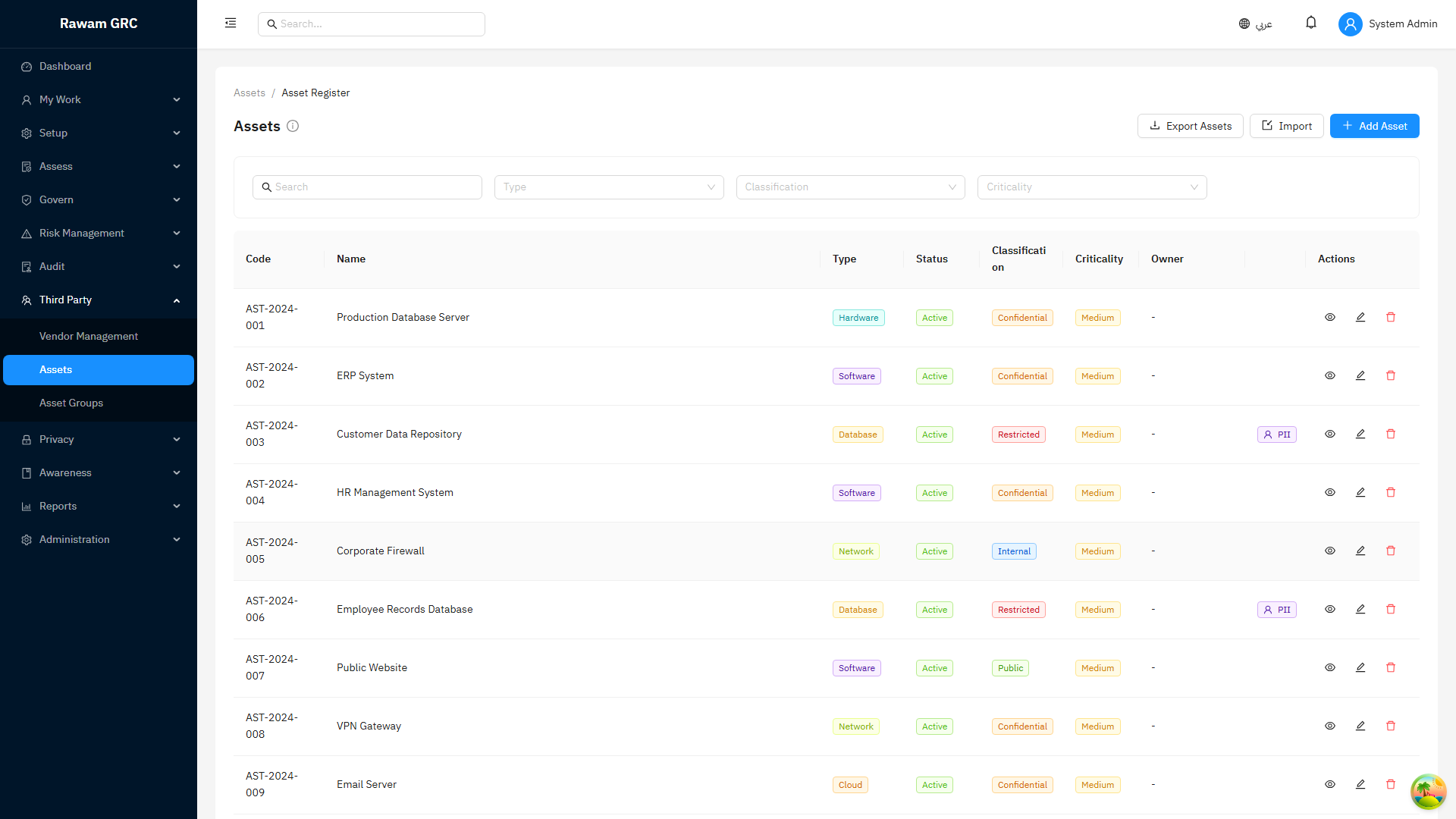
- Open Assets.
- Click Create Asset.
- Enter asset name, type, owner, department, location, and lifecycle status.
- Set criticality and data classification.
- Link vendor, controls, policies, or risks when applicable.
- Set review date.
- Save.
- Review whether the asset should change risk scoring through criticality.
Review an Asset Group
- Open Asset Groups.
- Confirm group name, owner, and purpose.
- Review included assets.
- Check whether critical assets have owners and review dates.
- Confirm linked risks and controls are current.
- Escalate missing ownership or criticality gaps.
Onboard a Vendor and Assess Third-Party Risk
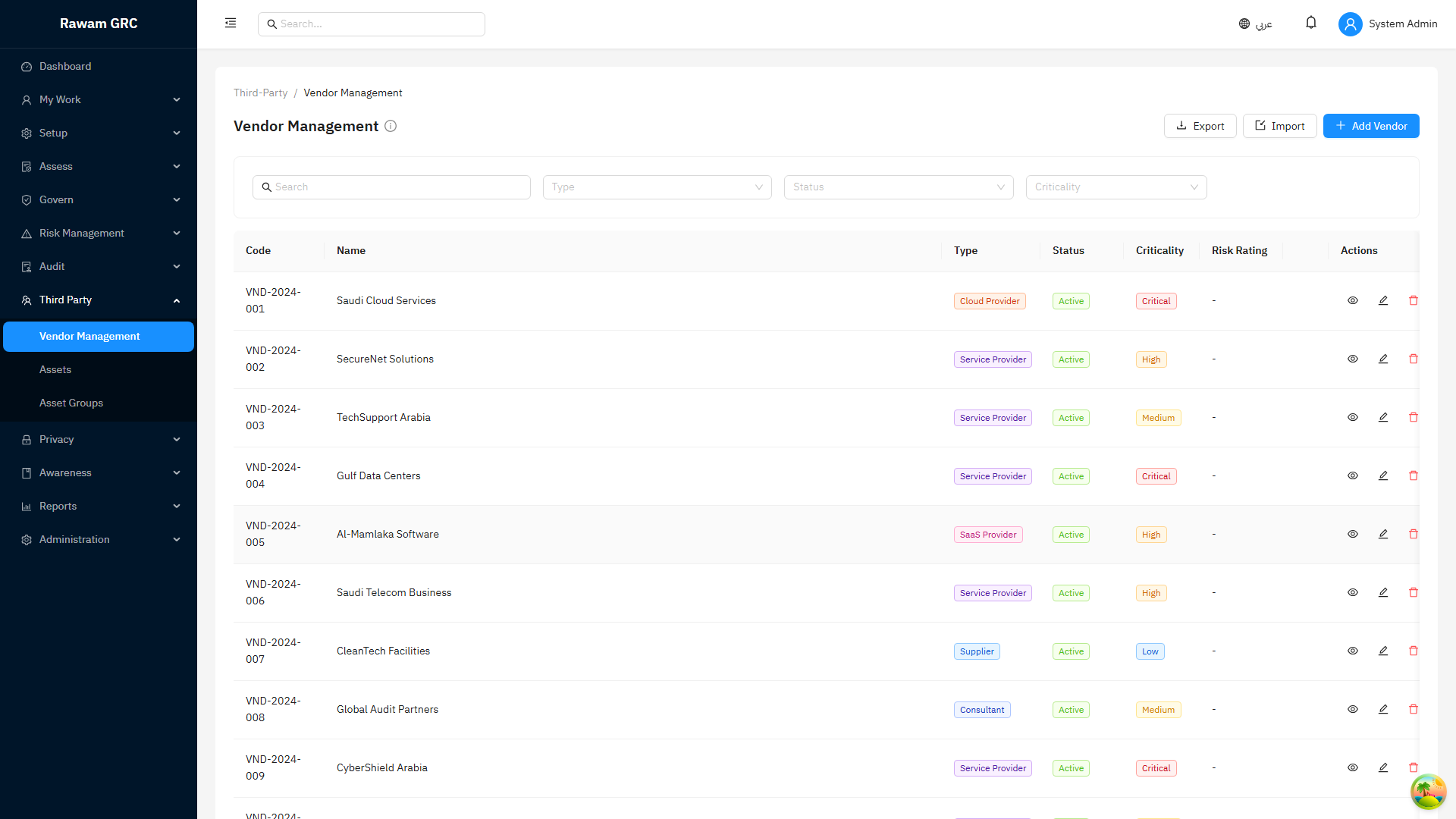
- Open Vendors or Third Parties.
- Create vendor profile with owner, service, criticality, contact, and relationship status.
- Identify data, process, or asset dependency.
- Request due-diligence evidence or questionnaire.
- Review responses and missing evidence.
- Create risks or issues for gaps.
- Approve, approve with conditions, reject, or pause.
- Set next review date and evidence renewal dates.
Screenshots
Vendors
Assets
FAQ
| Question | Answer |
|---|---|
| Why does asset criticality matter? | Critical assets can increase effective risk priority and management attention. |
| Should every asset have an owner? | Yes. Unknown ownership weakens risk, incident, and audit response. |
| When should vendor risk be reassessed? | After contract change, service scope change, data exposure change, incident, failed evidence review, or scheduled review. |
| Should terminated vendors stay visible? | They should be offboarded with closure evidence, not left active. |