Platform Overview
The portal is organized around the work a GRC team performs every day: setup, assignments, module operations, evidence, approvals, reporting, and auditability.
Operating Model
The portal separates responsibilities into four practical layers:
- Tenant administration: users, roles, permissions, departments, job positions, workflows, templates, settings, enterprise identity and access, and enabled modules.
- Module operations: risk records, assessments, audits, policies, incidents, vendors, assets, privacy records, training, surveys, issues, and regulatory changes.
- Personal work queue: tasks, approvals, acknowledgements, signatures, surveys, training, and other assigned work.
- Oversight and evidence: dashboards, reports, audit trail, comments, files, workflow history, and activity timelines.
Customer administrators usually begin in the setup layer, then help module owners operate the relevant GRC domains.
Core Navigation Areas
The main navigation is grouped by operating purpose:
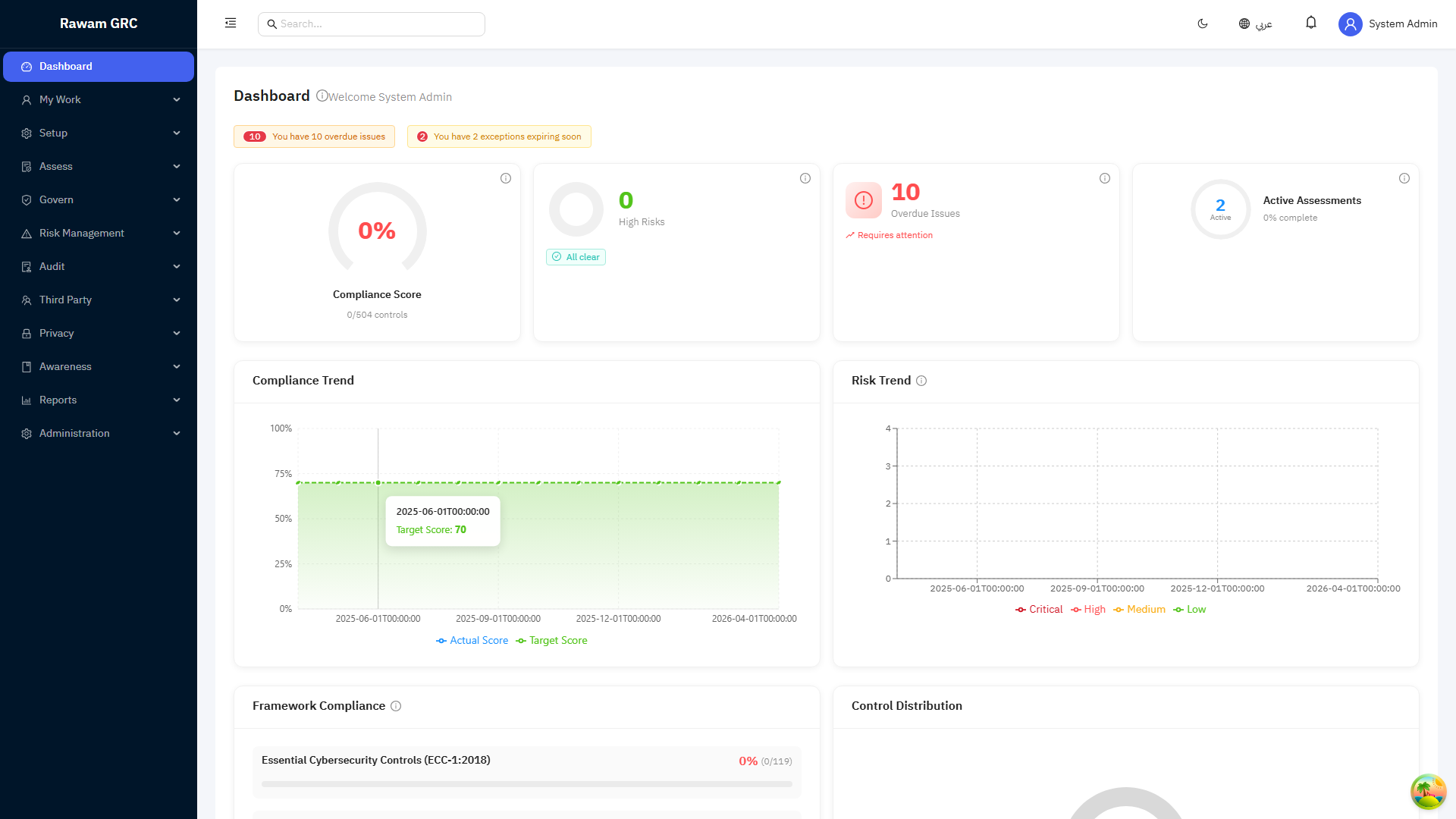
- Dashboard: role-based summary of compliance, risk, issues, tasks, trends, and deadlines.
- My Work: assigned actions, approvals, acknowledgements, surveys, training, and signatures.
- Compliance: frameworks, controls, assessments, statement of applicability, and evidence. See Compliance and Assessments.
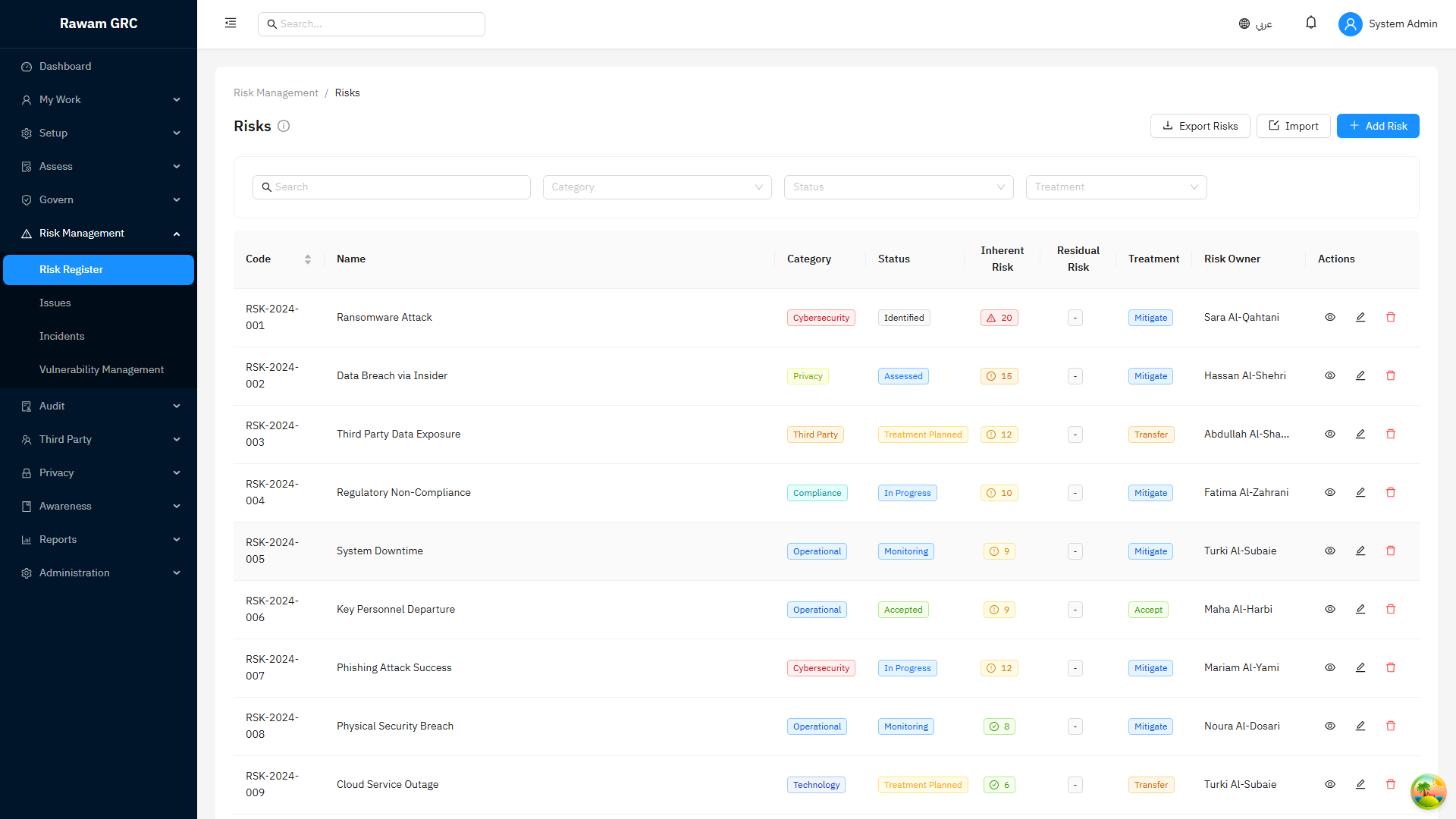
- Risk Management: risk register, per-category risk appetite, the risk scale criteria editor, templates, vulnerabilities, treatment, and acceptance. See Risk Management.
- Governance: policies, governance documents, digital signatures, exceptions, and change requests. See Governance.
- Asset Management: assets and asset groups used for ownership and traceability. See Third Parties and Assets.
- Audit: audit programs, audits, findings, and remediation follow-up. See Audit Management.
- Operations: issues, actions, incidents, calendar, and regulatory changes. See Operations.
- Third Parties: vendor and external-party oversight. See Third Parties and Assets.
- Privacy: processing activities, DSAR, PIA, consent, transfers, and data flow. See Privacy and Awareness.
- Awareness: training, role requirements, surveys, and user enablement. See Privacy and Awareness.
- Reports and Analytics: operational, management, and scheduled reports. See Reports and Analytics.
- Enterprise Identity and Access: single sign-on (SAML, OIDC, Azure AD, Okta, Google), SCIM provisioning, LDAP directory sync, service accounts, segregation-of-duties enforcement, and access reviews. See Enterprise Identity and Access.
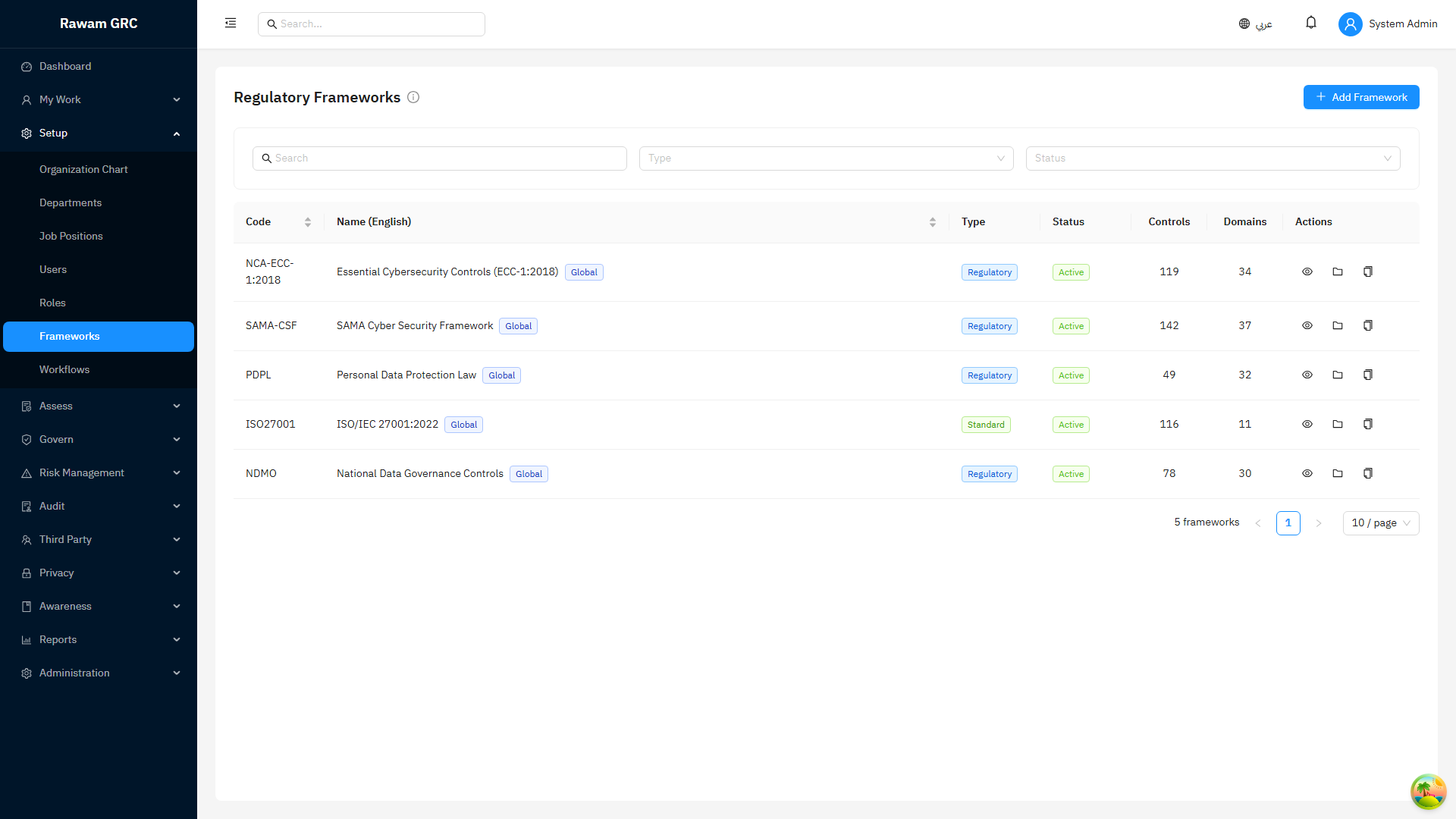
- Setup: administration foundation for the tenant, including configurable session idle-timeout and the background jobs operations dashboard. See Tenant Setup Order.
Start by Task
| If you need to... | Open this page |
|---|---|
| Find the right guide quickly | How Do I Task Index |
| Run the first operating cycle | Quick Start by Scenario |
| Understand responsibilities by role | Role-Based Admin Guides |
| Confirm permissions before assigning work | Permissions and Roles Matrix |
| Understand statuses across modules | Workflow and Status Reference |
| Prepare a management report pack | Reports and Analytics |
Shared Services
Many modules use the same shared services:
- workflows and approvals
- comments and activity timelines
- file attachments and evidence
- notifications and personal tasks
- roles and permissions
- saved filters and exports
- comprehensive audit logging across modules
When a module guide mentions comments, files, workflow, or history, it refers to these shared services. The behavior is intentionally consistent across modules.
Screenshots
The screenshots in this guide are examples from the current release. They should match the portal layout your administrators see when they sign in.
Dashboard
Risk Register
Frameworks