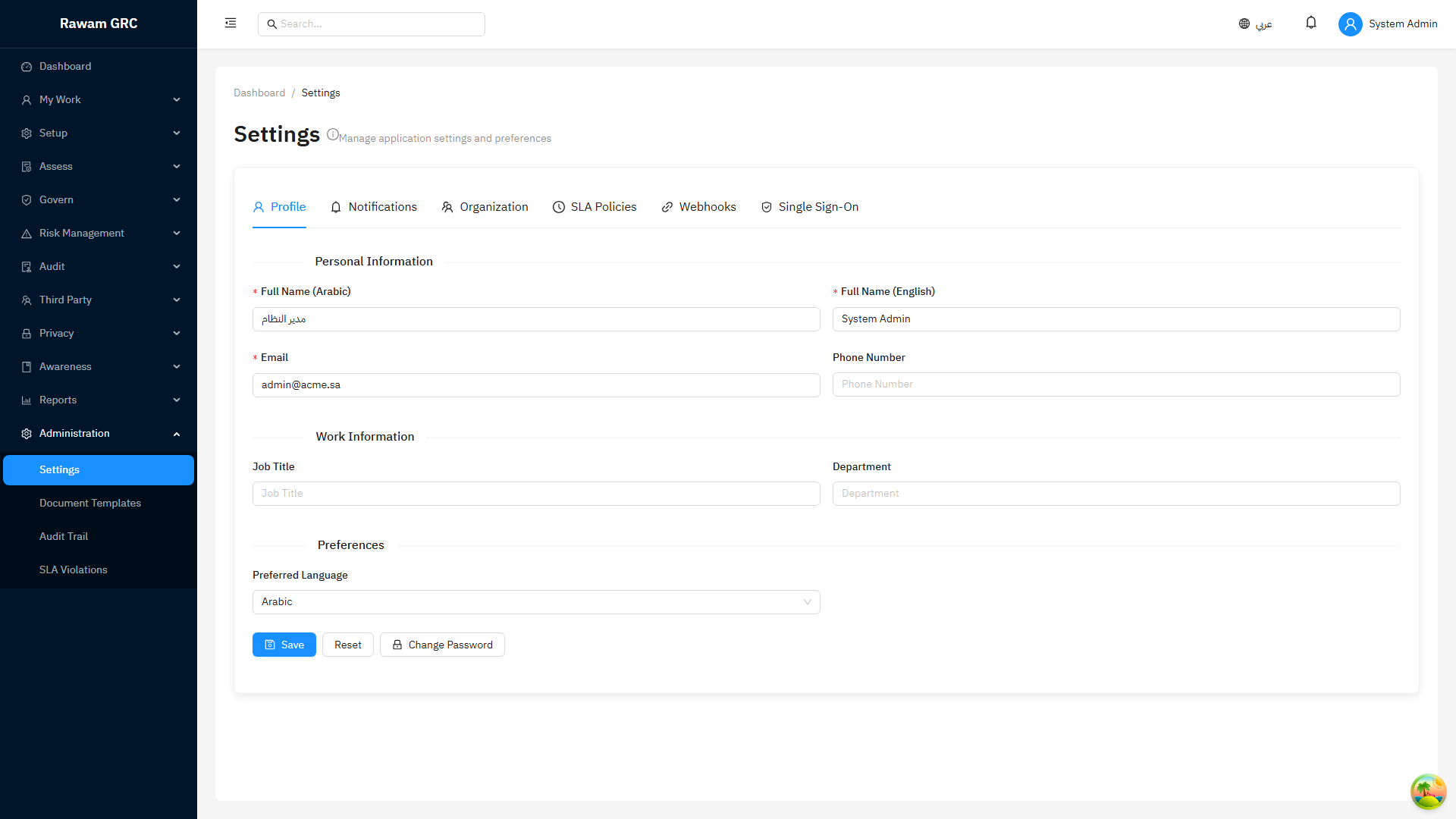
Tenant Administration Setup
Use this guide before opening the platform to operational users. The setup order matters because users, roles, organization structure, and workflows are reused by every module.
1. Setup Principle
Configure structure first, then operate records.
If users start creating risks, assessments, policies, incidents, or audits before roles and workflows are stable, records may have the wrong owner, wrong approval path, or incomplete reporting data.
2. What to Configure First
| Order | Setup Area | Why It Comes First |
|---|---|---|
| 1 | Enabled modules | Determines which roles, workflows, templates, and reports are needed. |
| 2 | Departments and job positions | Used by ownership, workflow routing, reporting, and user profile context. |
| 3 | Roles and permissions | Controls what each user can view, create, edit, approve, export, or delete. |
| 4 | Users | Users should be invited after role and organization structure exists. |
| 5 | Workflows | Approval routes require users, roles, and owners. |
| 6 | Templates and settings | Reusable defaults reduce inconsistent records. |
| 7 | Frameworks and module baselines | Needed before assessments, controls, and compliance reporting. |
| 8 | Operational module rollout | Start business usage only after access and approval behavior is tested. |
3. Users
User records are the identity foundation for ownership, tasks, approvals, assignments, comments, and audit trail.
Users do not have to be created one at a time in the UI. They can be provisioned automatically through SCIM 2.0, SSO just-in-time (JIT) provisioning, LDAP directory sync, or the IAM provisioning API, and roles can be auto-assigned through group-to-role mappings. If you plan to onboard users in bulk, configure SSO, SCIM, or LDAP — and define your Segregation-of-Duties (SoD) rules — before the bulk import, so that every account lands with the right roles and no conflicting access is granted. See Enterprise Identity & Access for setup.
User Fields Administrators Should Confirm
| Field | Why It Matters |
|---|---|
| Name | Appears in assignments, approvals, and reports. |
| Used for login, notifications, and task routing. | |
| Role | Controls permissions. |
| Department | Supports reporting, ownership, and workflow context. |
| Job Position | Supports organization structure and responsibility context. |
| Manager / Reporting Relationship | Useful for escalation and approval design where enabled. |
| Status | Inactive users should not receive new ownership or approval assignments. |
User Setup Flow
- Create departments and job positions.
- Create roles.
- Invite or create users — manually in the UI, or automatically via SCIM, SSO JIT, LDAP sync, or the IAM provisioning API.
- Assign role, department, job position, and manager. Roles can also be assigned automatically through group-to-role mappings.
- Confirm user status is active.
- Assign module responsibilities such as risk owner, compliance owner, auditor, policy owner, or incident manager.
- Test login and access with a pilot user before inviting all users.
User Governance Rules
- Do not assign records to inactive users.
- Review users when someone changes department or job position.
- Remove or downgrade access when a user no longer needs administrator rights.
- Keep at least two tenant administrators to avoid access dependency on one person.
4. Roles and Permissions
Roles define what a user can do. Keep roles practical and aligned with real responsibilities.
Recommended Role Model
| Role | Typical Access |
|---|---|
| Tenant Administrator | Setup, users, roles, workflows, templates, and full administration. |
| GRC Manager | Cross-module oversight, reports, approvals, and management review. |
| Compliance Owner | Frameworks, assessments, evidence, findings, and compliance reporting. |
| Risk Owner | Risk register, treatment, actions, evidence, and reassessment. |
| Auditor | Audit planning, findings, evidence review, and audit reports. |
| Policy Owner | Policies, exceptions, acknowledgements, and change requests. |
| Incident Manager | Incidents, issues, response, and remediation tracking. |
| Third-Party Owner | Vendor/third-party profiles, reviews, files, and related risks. |
| Asset Owner | Asset records, ownership, criticality, and linked risks. |
| Privacy Owner | Processing activities, DSAR, PIA, consent, transfers, and data flows. |
| Training Coordinator | Courses, campaigns, surveys, and role requirements. |
| Executive Viewer | Read-only dashboards and reports. |
Permission Design Rules
- Separate create/update permissions from approve permissions.
- Restrict delete permissions to administrators or module managers.
- Give export permissions only to users who are allowed to handle report data.
- Avoid one broad role for all operational users.
- Use read-only roles for executives and auditors who should not change records.
5. Organization Structure
Create departments, job positions, and reporting relationships before assigning ownership.
Used by:
- risk and control ownership
- assessment assignment
- policy acknowledgement targeting
- workflow routing
- reports and dashboards
- audit and accountability history
Recommended flow:
- Create departments.
- Create job positions.
- Add users to departments and positions.
- Confirm managers or reporting lines where used.
- Review structure quarterly or when the organization changes.
To set up the structure quickly, the Departments and Job Positions list pages support import with a template: download the provided template, fill in the rows, and import the completed CSV instead of creating each record by hand.
6. Workflows
Workflows control review and approval. They should be configured only after roles and users are ready.
Workflow Concepts
| Concept | Meaning |
|---|---|
| Trigger | The module event that starts the workflow, such as submit assessment or approve policy. |
| Step | A review or approval stage. |
| Assignee | User, role, owner, or function responsible for the step. |
| Decision | Approve, reject, send back, or complete depending on module. |
| Workflow Status | Indicates whether the item is waiting, approved, rejected, or completed. |
Workflow Setup Flow
- Decide which module requires approval.
- Define the trigger, such as assessment submit, policy approval, exception approval, risk acceptance, or change approval.
- Choose one-step or multi-step approval.
- Assign approvers by role or named user.
- Define rejection behavior.
- Test with a pilot record.
- Confirm audit trail and notifications.
- Train users to use the Workflow tab when a workflow is active.
Workflow Rules Users Must Know
- If a workflow is active, direct lifecycle actions may be blocked.
- The approver should act from the Workflow tab or assigned task.
- Rejection should include a reason.
- Workflow history becomes approval evidence.
- Changing workflow rules after records are in progress can create confusion; test before rollout.
7. Templates and Settings
Templates standardize repeated work.
Common templates/settings:
- risk templates
- document templates
- policy templates
- training templates
- assessment defaults
- incident response templates
- notification and SLA settings
Administrator rule: templates should be prepared before large-scale module usage, otherwise users may create inconsistent records.
8. Frameworks and Baselines
Before assessments begin:
- Confirm active frameworks.
- Confirm control ownership.
- Confirm applicability tags and organization type.
- Confirm control weights.
- Decide whether to use global framework content or tenant-specific copies.
9. Go-Live Checklist
- Modules enabled and visible.
- Departments and job positions created.
- Roles created and tested.
- Users invited with correct role and department.
- Workflows configured and pilot-tested.
- Templates and settings prepared.
- Frameworks selected and owners confirmed.
- Reports reviewed for expected data.
- Administrators know how to monitor overdue tasks and workflow queues.
Screenshot